> ## Documentation Index
> Fetch the complete documentation index at: https://docs.easyuse.yolain.com/llms.txt
> Use this file to discover all available pages before exploring further.

# 实用工具 Util

## 书签 🔖  (Bookmark)
<Frame caption="">
  <img src="https://mintcdn.com/yolain/zALn-Ga4wzNzoIjg/images/nodes/bookmark.jpg?fit=max&auto=format&n=zALn-Ga4wzNzoIjg&q=85&s=6bff833e44956fd54b96a131fddf19ac" width="1280" height="720" data-path="images/nodes/bookmark.jpg" />
</Frame>

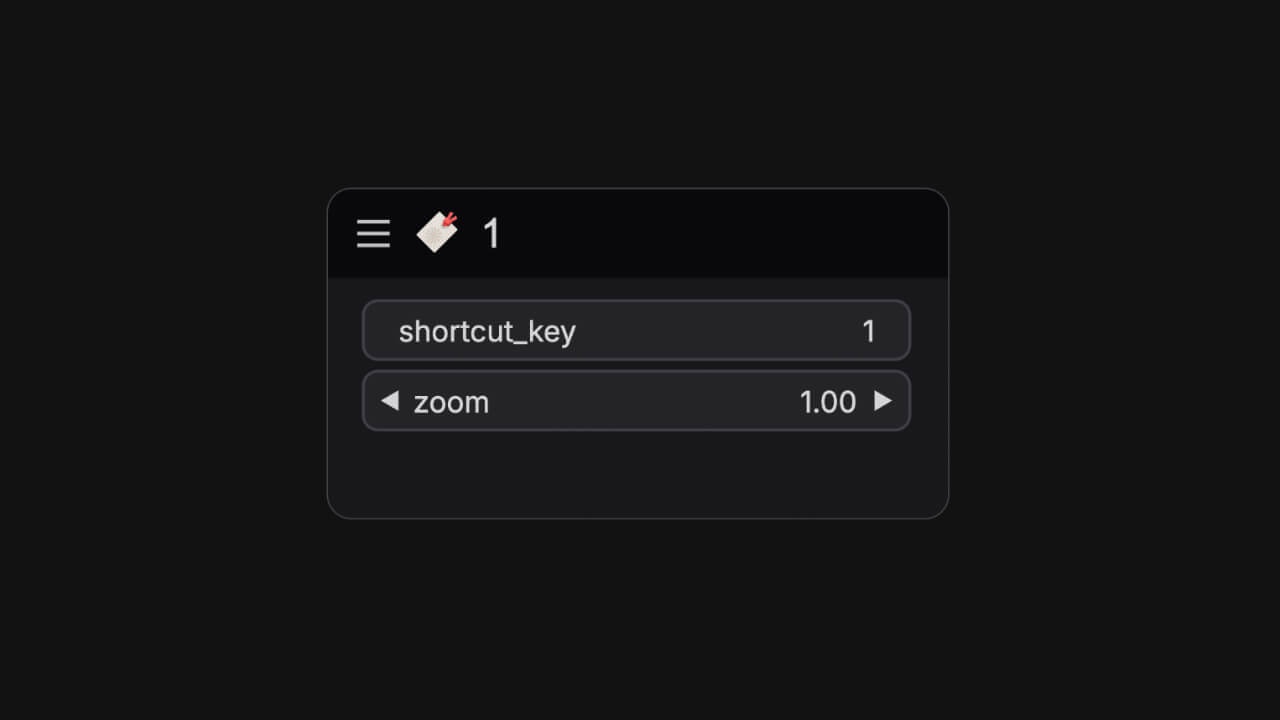
可以使用快捷键在工作流画布间快速跳转所处画面的位置。

**节点名**：`easy bookmark`<br />
**部件参数 (Widgets)**：

<ParamField path="shortcut_key" type="string" default="1">
  设置的快捷键
</ParamField>

<ParamField path="zoom" type="float" default="1.00">
  缩放系数
</ParamField>

## 设置点  (SetNode)

<Tabs>
  <Tab title="节点预览">
    <Frame>
      <img src="https://mintcdn.com/yolain/zALn-Ga4wzNzoIjg/images/nodes/setNode.jpg?fit=max&auto=format&n=zALn-Ga4wzNzoIjg&q=85&s=9e9096c56a7689cdfe44cb0942bbba5b" width="1280" height="720" data-path="images/nodes/setNode.jpg" />
    </Frame>
  </Tab>

  <Tab title="使用示例">
    <Frame>
      <img src="https://mintcdn.com/yolain/zALn-Ga4wzNzoIjg/images/nodes/example/setNode.jpg?fit=max&auto=format&n=zALn-Ga4wzNzoIjg&q=85&s=d3cdf2781873e979f097916f505e449e" width="1280" height="720" data-path="images/nodes/example/setNode.jpg" />
    </Frame>
  </Tab>
</Tabs>

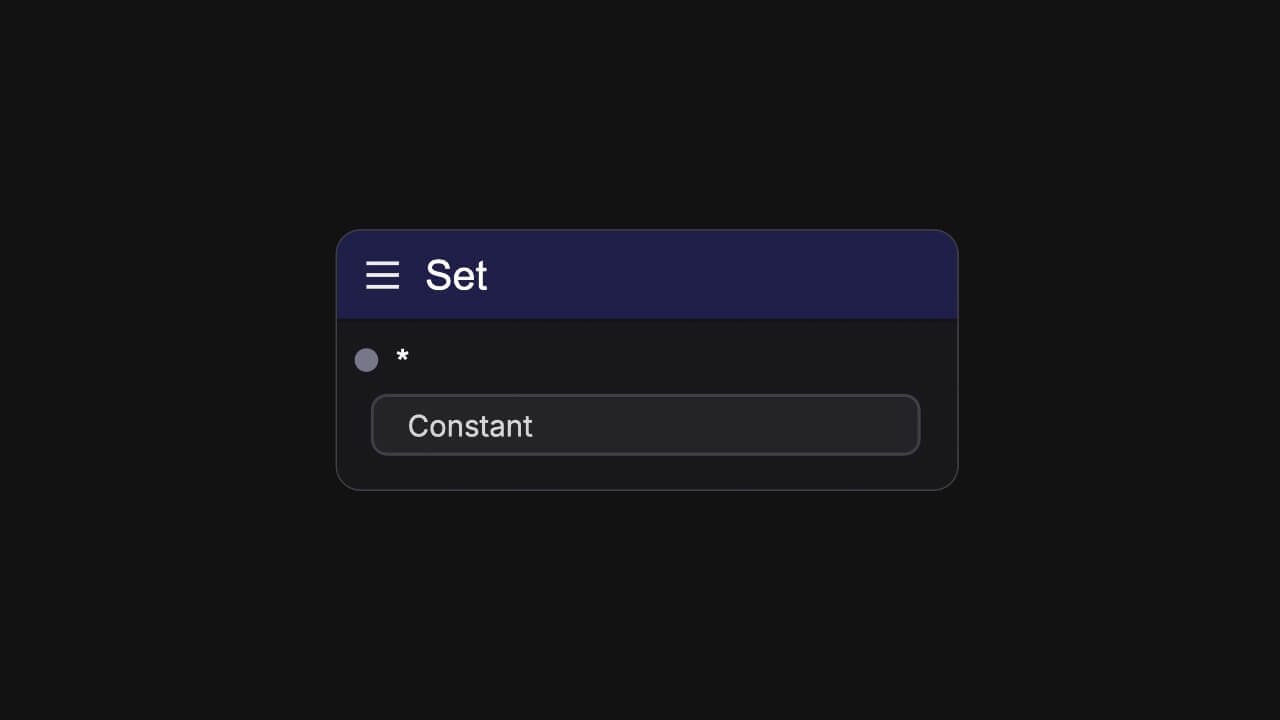
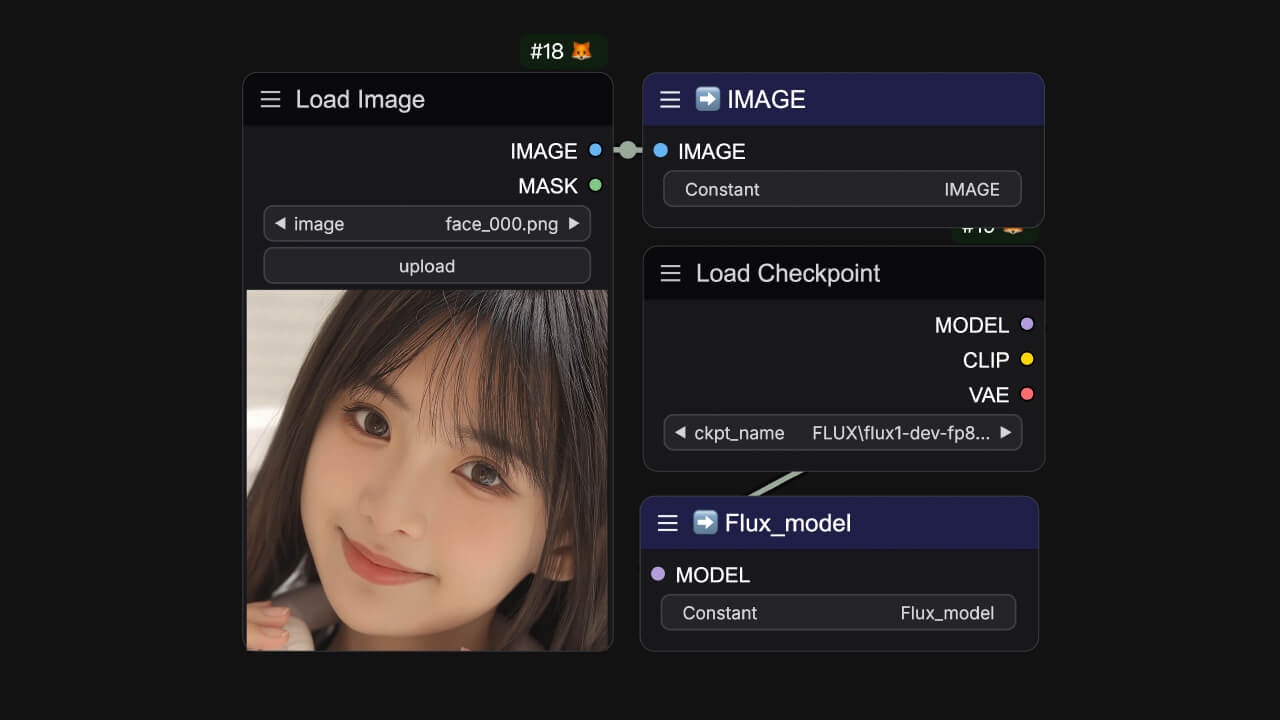
通常用于存储上一个节点的某一个输出参数，与 `easy getNode`配合使用。

**节点名**： `easy setNode`<br />
**输入参数 (Input)**：

<ParamField path="*" type="any">
  任意参数类型
</ParamField>

**部件参数 (Widgets)**：

<ParamField path="Constant" type="string">
  定义变量名称
</ParamField>

## 获取点  (GetNode)

<Tabs>
  <Tab title="节点预览">
    <Frame>
      <img src="https://mintcdn.com/yolain/zALn-Ga4wzNzoIjg/images/nodes/getNode.jpg?fit=max&auto=format&n=zALn-Ga4wzNzoIjg&q=85&s=2f527623e6e0440b165a7f8a84cc970e" width="1280" height="720" data-path="images/nodes/getNode.jpg" />
    </Frame>
  </Tab>

  <Tab title="使用示例">
    <Frame>
      <img src="https://mintcdn.com/yolain/zALn-Ga4wzNzoIjg/images/nodes/example/getNode.jpg?fit=max&auto=format&n=zALn-Ga4wzNzoIjg&q=85&s=b6c75cee5248cf181b519363ec3d2bc4" width="1280" height="720" data-path="images/nodes/example/getNode.jpg" />
    </Frame>
  </Tab>
</Tabs>

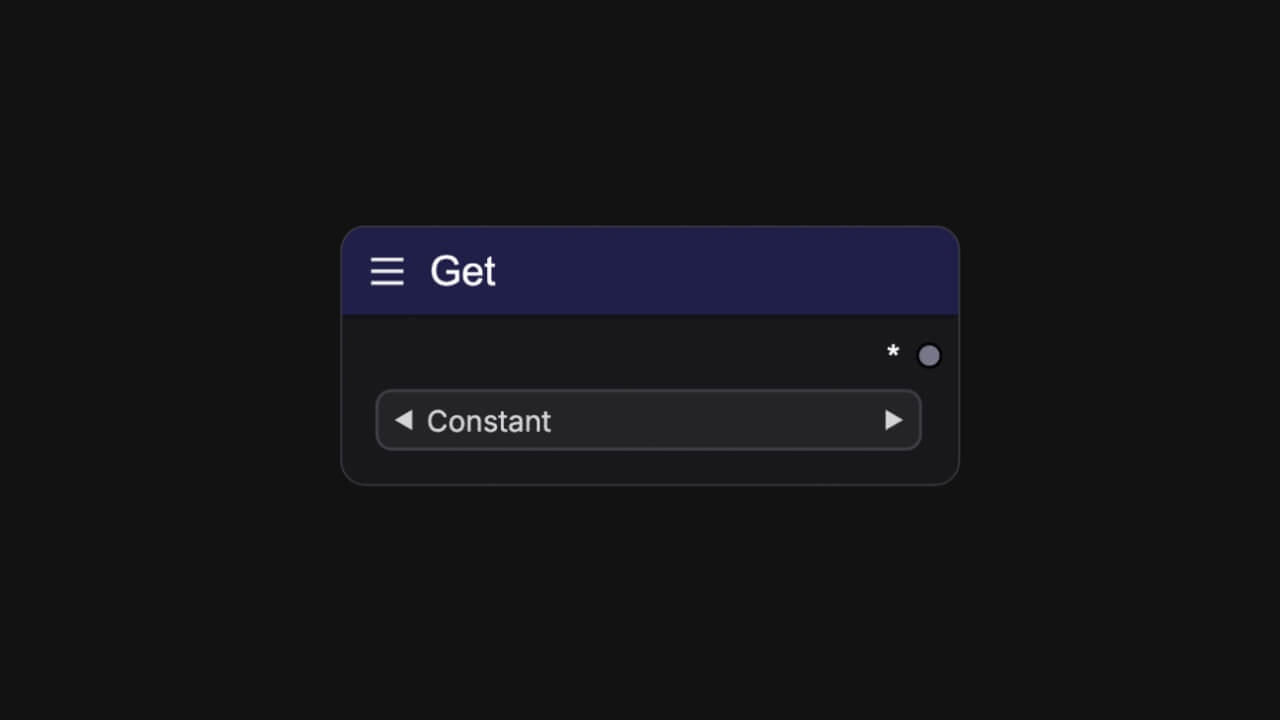
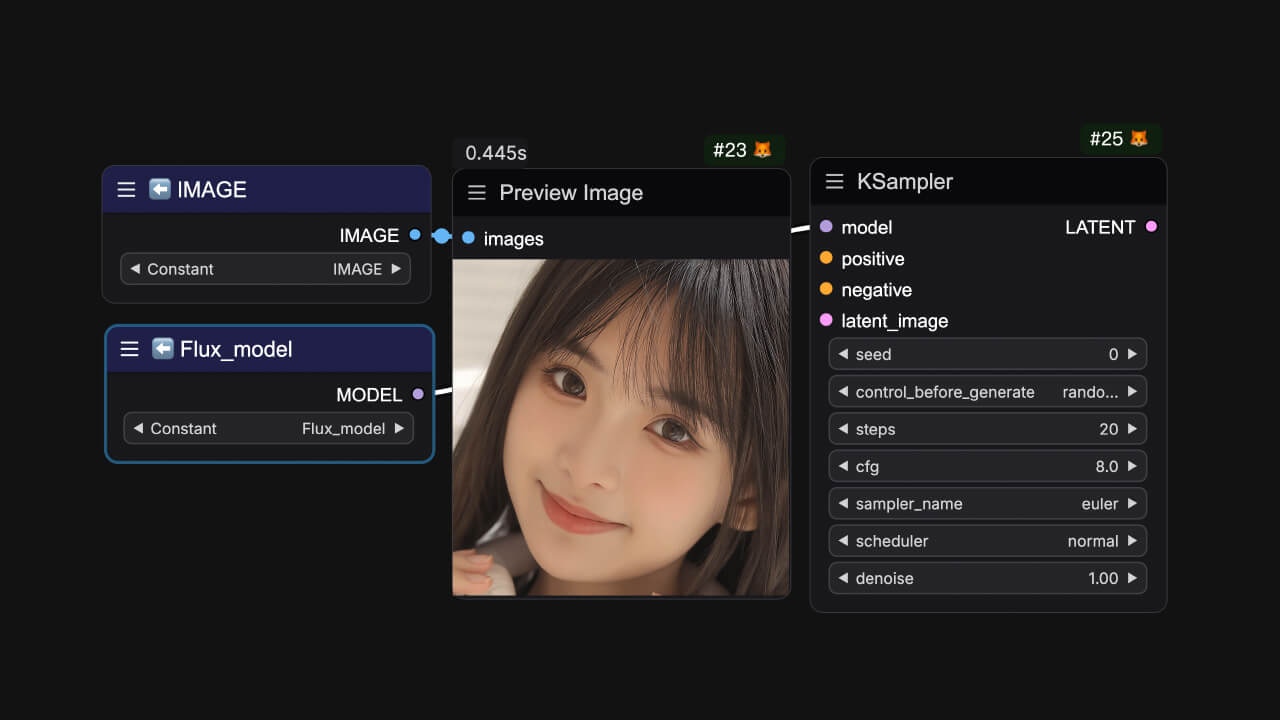
通常用于读取对应变量中存储的参数，与 `easy setNode`配合使用。

**节点名**： `easy getNode`<br />
**部件参数 (Widgets)**：

<ParamField path="Constant" type="combo">
  选择已定义的变量名称
</ParamField>

**输出参数 (Output)**：

<ParamField path="*" type="any">
  输出任意参数类型
</ParamField>

## 显示加载器参数名称 (Show Loader Settings Names)
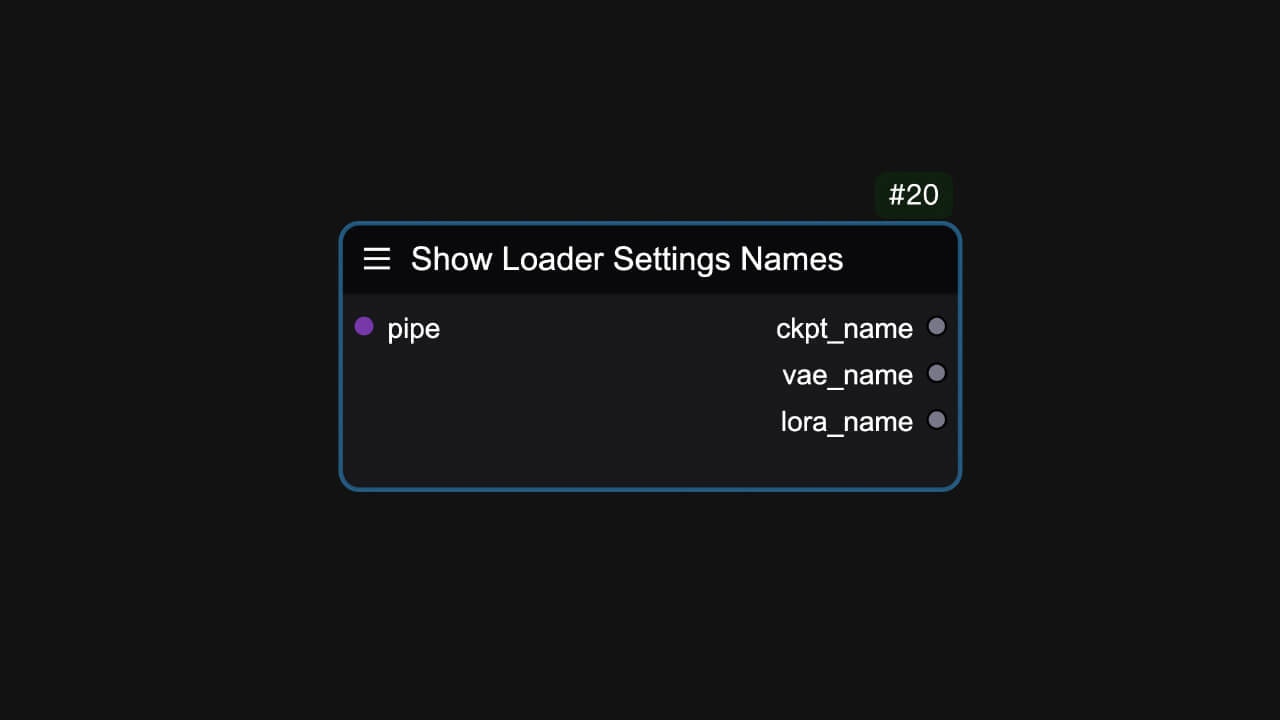
<Tabs>
  <Tab title="节点预览">
    <Frame>
      <img src="https://mintcdn.com/yolain/zALn-Ga4wzNzoIjg/images/nodes/showLoaderSettingsNames.jpg?fit=max&auto=format&n=zALn-Ga4wzNzoIjg&q=85&s=16e4e1422d874e903daaa806b2fdbffe" width="1280" height="720" data-path="images/nodes/showLoaderSettingsNames.jpg" />
    </Frame>
  </Tab>

  <Tab title="使用示例">
    <Frame>
      <img src="https://mintcdn.com/yolain/zALn-Ga4wzNzoIjg/images/nodes/example/showLoaderSettingsNames.jpg?fit=max&auto=format&n=zALn-Ga4wzNzoIjg&q=85&s=d1d54de9d0ab7c1e0631675f321bc2b3" width="1280" height="720" data-path="images/nodes/example/showLoaderSettingsNames.jpg" />
    </Frame>
  </Tab>
</Tabs>

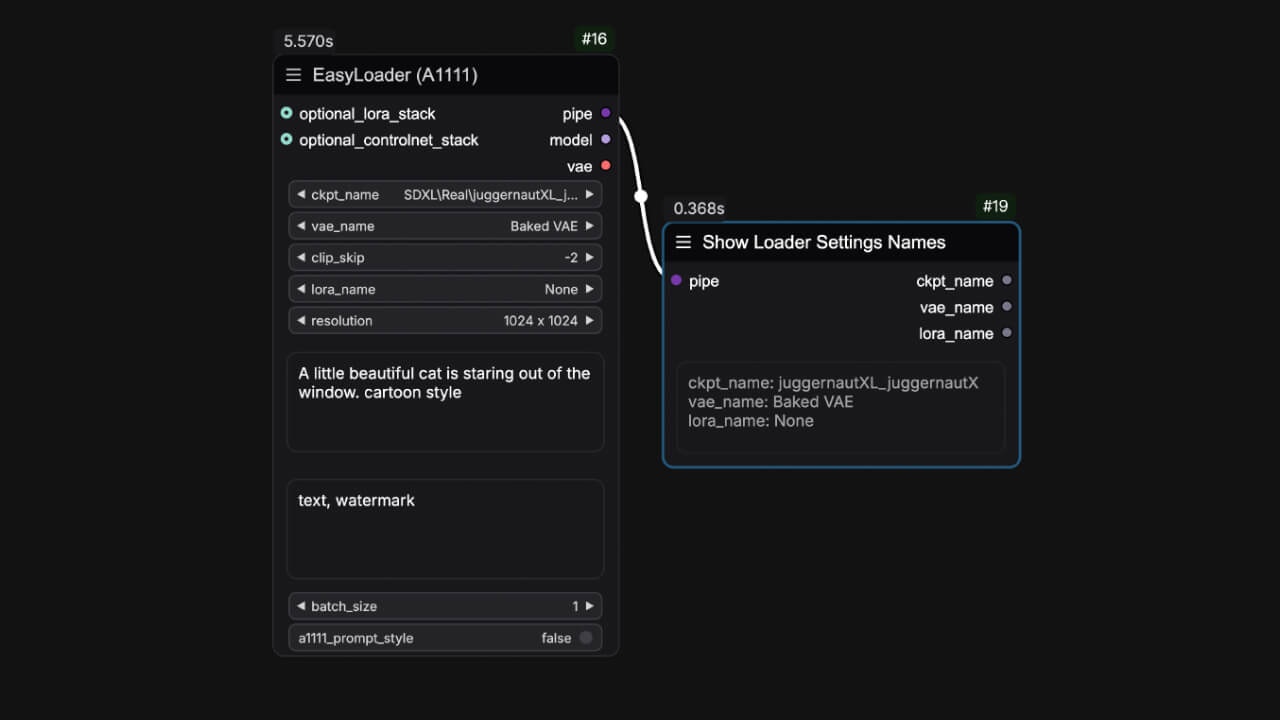
显示加载器的参数名称。

**节点名**： `easy showLoaderSettingsNames`<br />
**输入参数 (Input)**：

<ParamField path="pipe" type="PIPE_LINE">
  节点束
</ParamField>

**输出参数 (Output)**：

<ParamField path="模型名称" type="string">
  ckpt\_name
</ParamField>

<ParamField path="VAE名称" type="string">
  vae\_name
</ParamField>

<ParamField path="LORA名称" type="string">
  lora\_name
</ParamField>

## 滑条面板 (Slider Control)

<Tabs>
  <Tab title="节点预览">
    <Frame>
      <img src="https://mintcdn.com/yolain/zALn-Ga4wzNzoIjg/images/nodes/sliderControl.jpg?fit=max&auto=format&n=zALn-Ga4wzNzoIjg&q=85&s=4f9acd7be9f88012978bf66f1a144fbc" width="1280" height="720" data-path="images/nodes/sliderControl.jpg" />
    </Frame>
  </Tab>

  <Tab title="使用示例">
    <Frame>
      <img src="https://mintcdn.com/yolain/zALn-Ga4wzNzoIjg/images/nodes/example/sliderControl.jpg?fit=max&auto=format&n=zALn-Ga4wzNzoIjg&q=85&s=5da9096e01a437142fddbd8373c3cd85" width="1280" height="720" data-path="images/nodes/example/sliderControl.jpg" />
    </Frame>
  </Tab>
</Tabs>

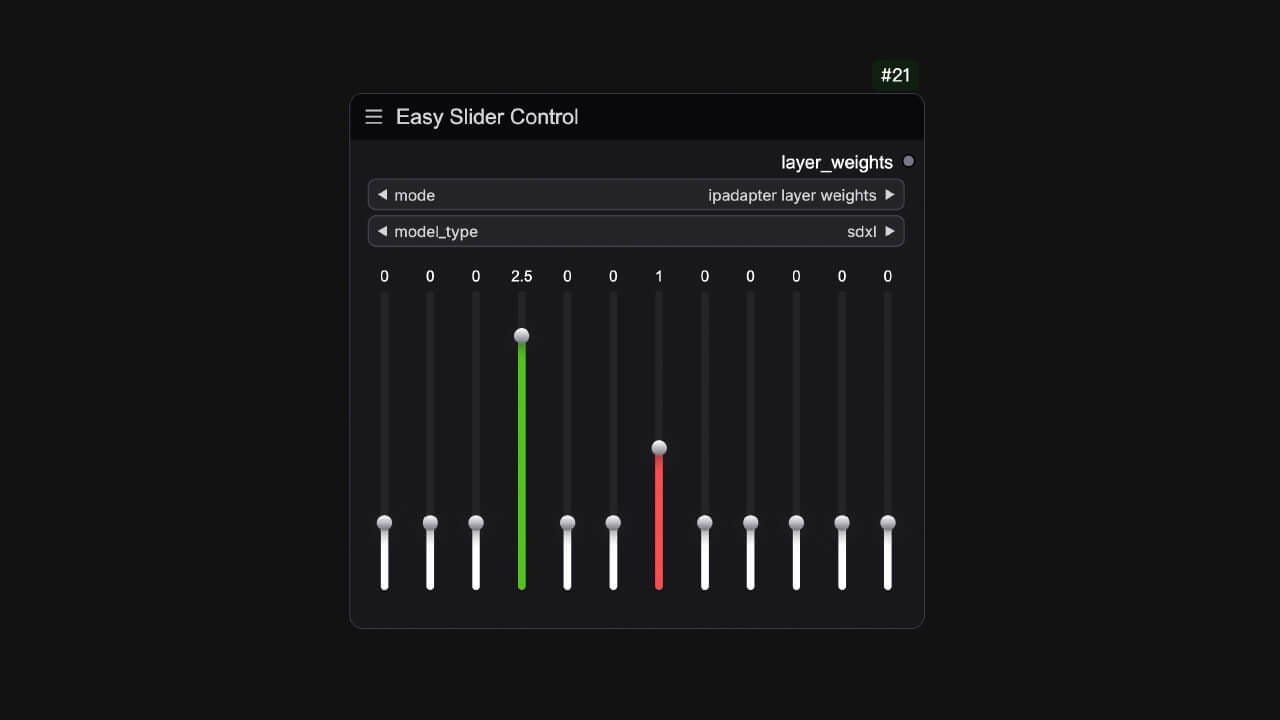
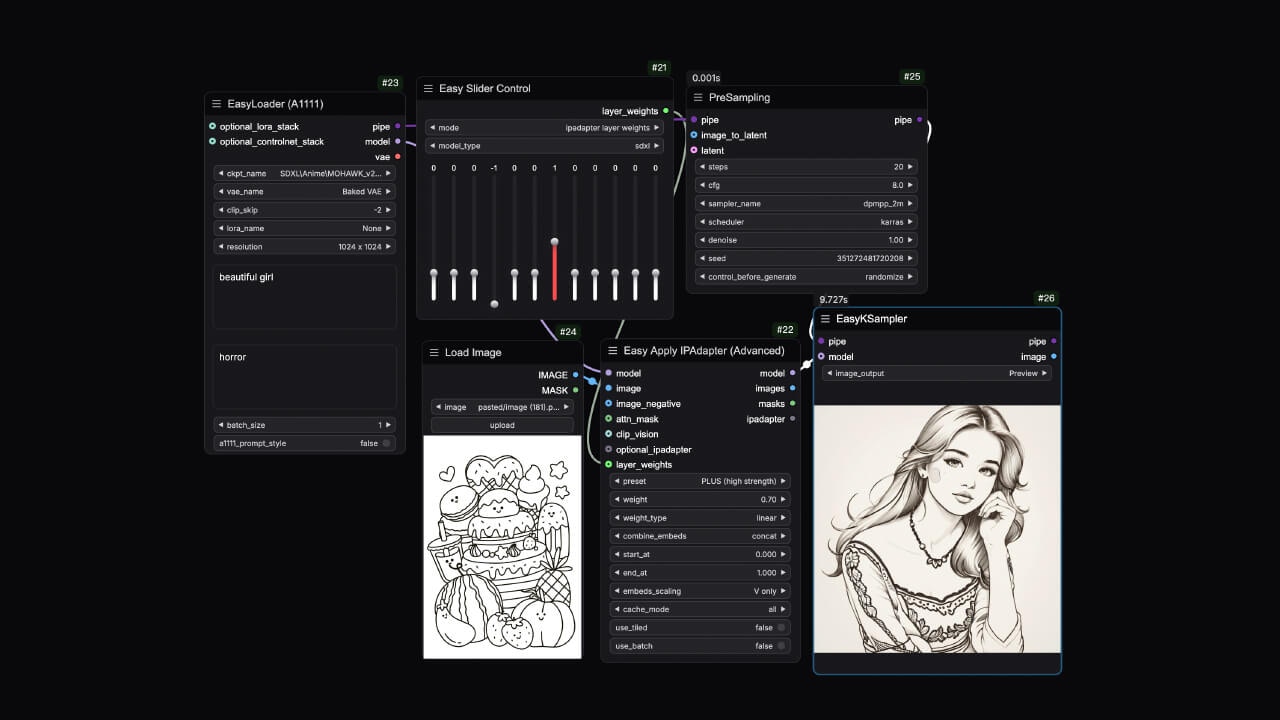
通常用于 ip-adapter的疯狂科学家功能，它为层权重调节提供了一个滑块控制的UI。

**节点名**： `easy sliderControl`<br />
**部件参数 (Widgets)**：

<ParamField path="模式" type="combo" default="ipadapter layer weights">
  滑块模式
</ParamField>

<ParamField path="模型类型" type="combo" default="sdxl">
  模型类型
</ParamField>

**输出参数 (Output)**：

<ParamField path="层权重" type="string">
  可调层的权重
</ParamField>

## Ckpt名称列表  (Ckpt Names)

<Tabs>
  <Tab title="节点预览">
    <Frame>
      <img src="https://mintcdn.com/yolain/zALn-Ga4wzNzoIjg/images/nodes/ckptNames.jpg?fit=max&auto=format&n=zALn-Ga4wzNzoIjg&q=85&s=a7608ed7659b0d723de106a8423f3955" width="1280" height="720" data-path="images/nodes/ckptNames.jpg" />
    </Frame>
  </Tab>

  <Tab title="使用示例">
    <Frame>
      <img src="https://mintcdn.com/yolain/zALn-Ga4wzNzoIjg/images/nodes/example/ckptNames.jpg?fit=max&auto=format&n=zALn-Ga4wzNzoIjg&q=85&s=d6a57f45abc7aeb643c02283fec9c4fc" width="1280" height="720" data-path="images/nodes/example/ckptNames.jpg" />
    </Frame>
  </Tab>
</Tabs>

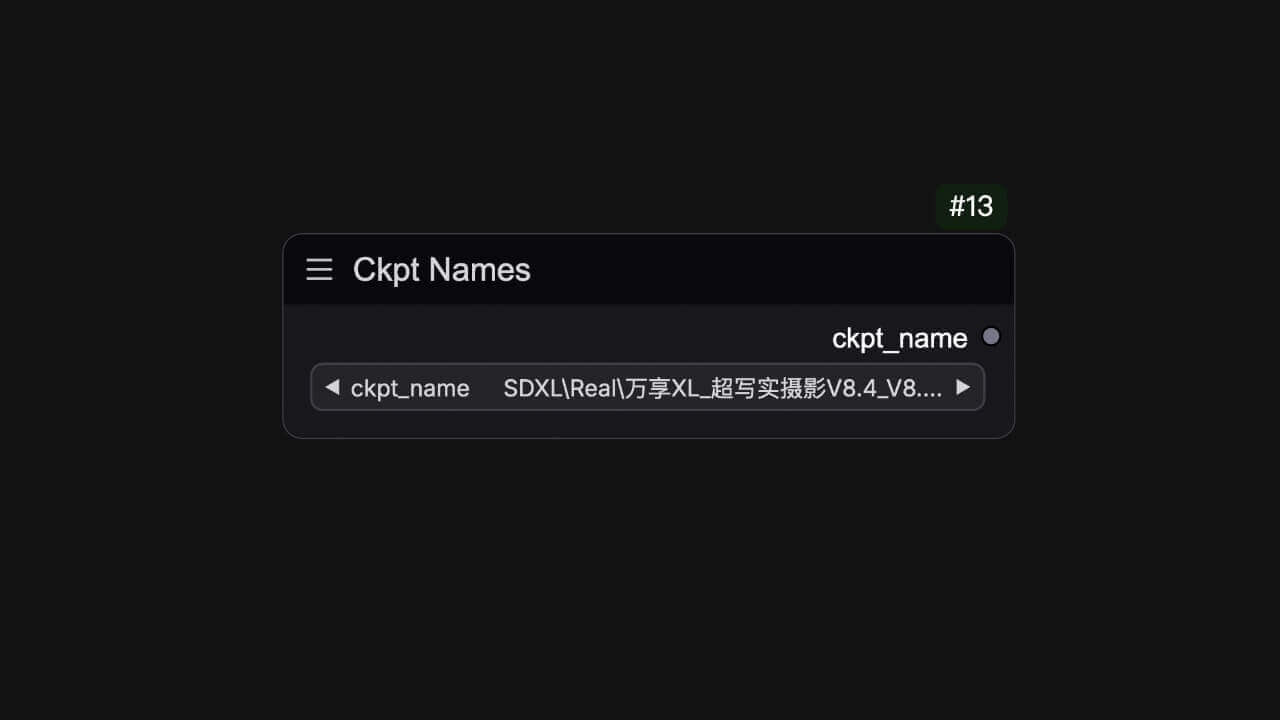
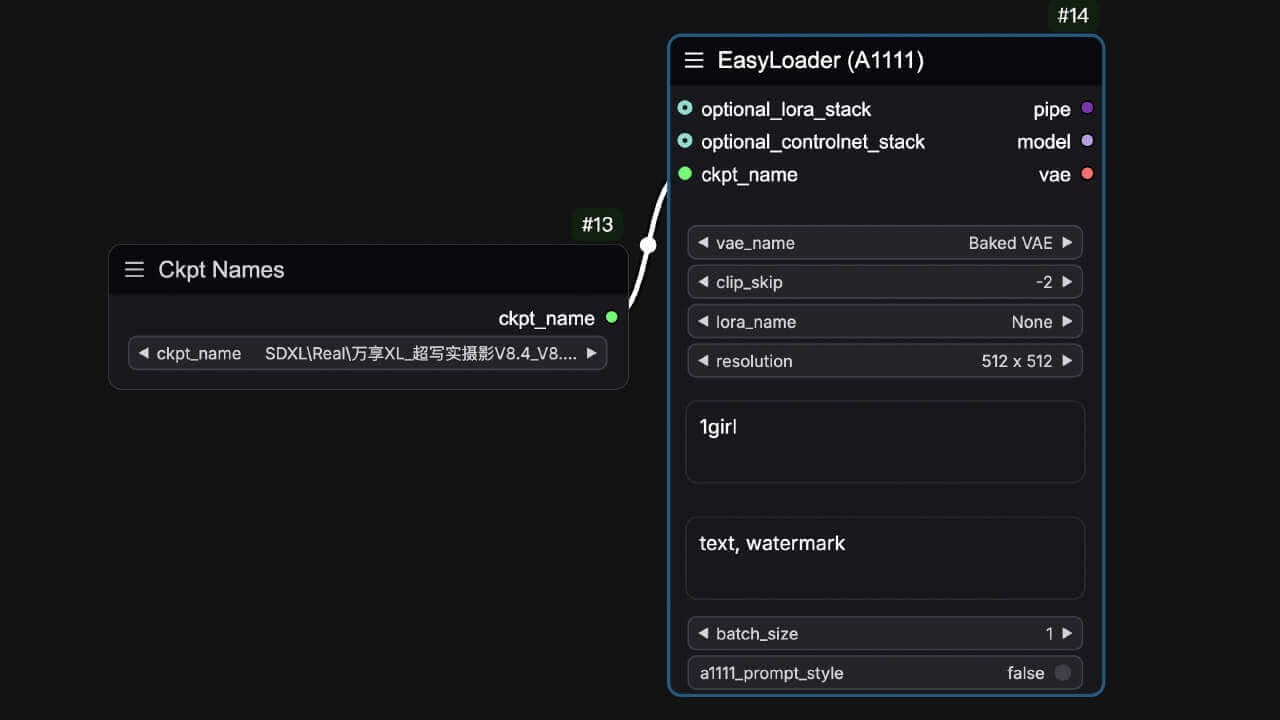
可连接到加载器中转换为输入类型的 ckpt\_name。

**节点名**: `easy ckptNames`<br />
**部件参数 (Widgets)**：

<ParamField path="模型名称" type="combo">
  选择模型名称
</ParamField>

**输出参数 (Output)**：

<ParamField query="模型名称" type="combo">
  输出已选择好的模型名称
</ParamField>

## ControlNet名称列表  (ControlNet Names)

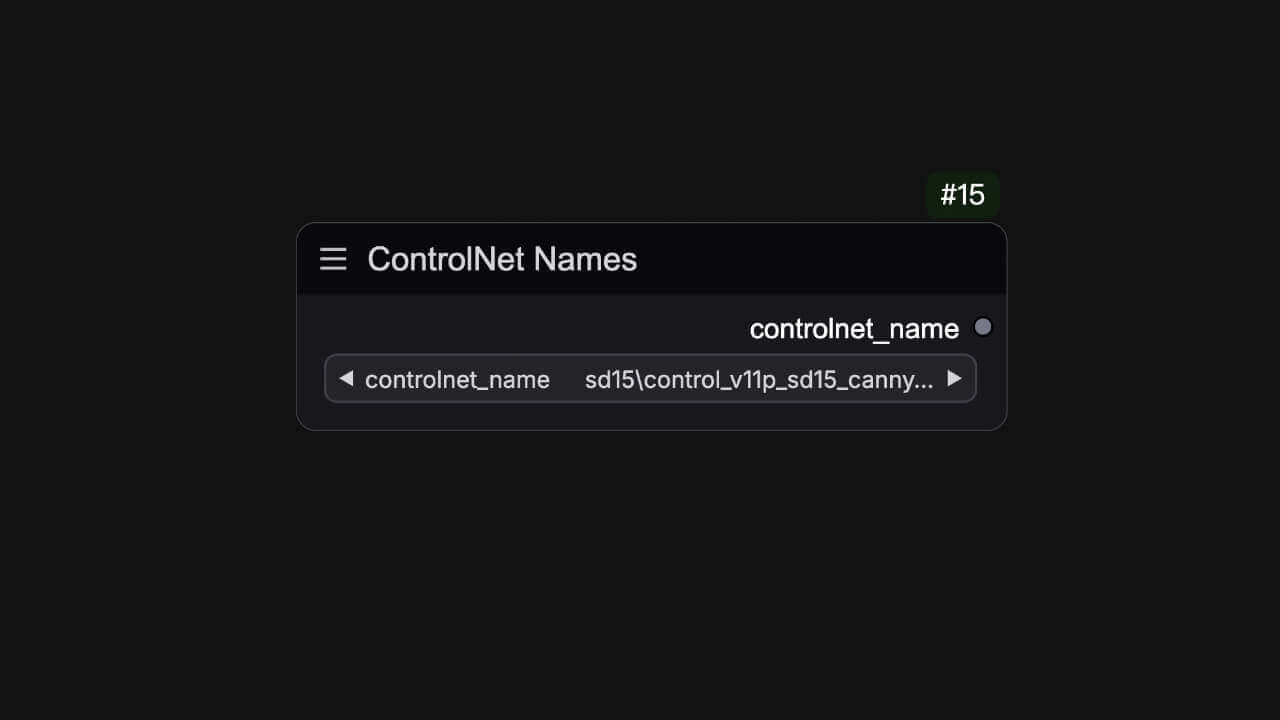
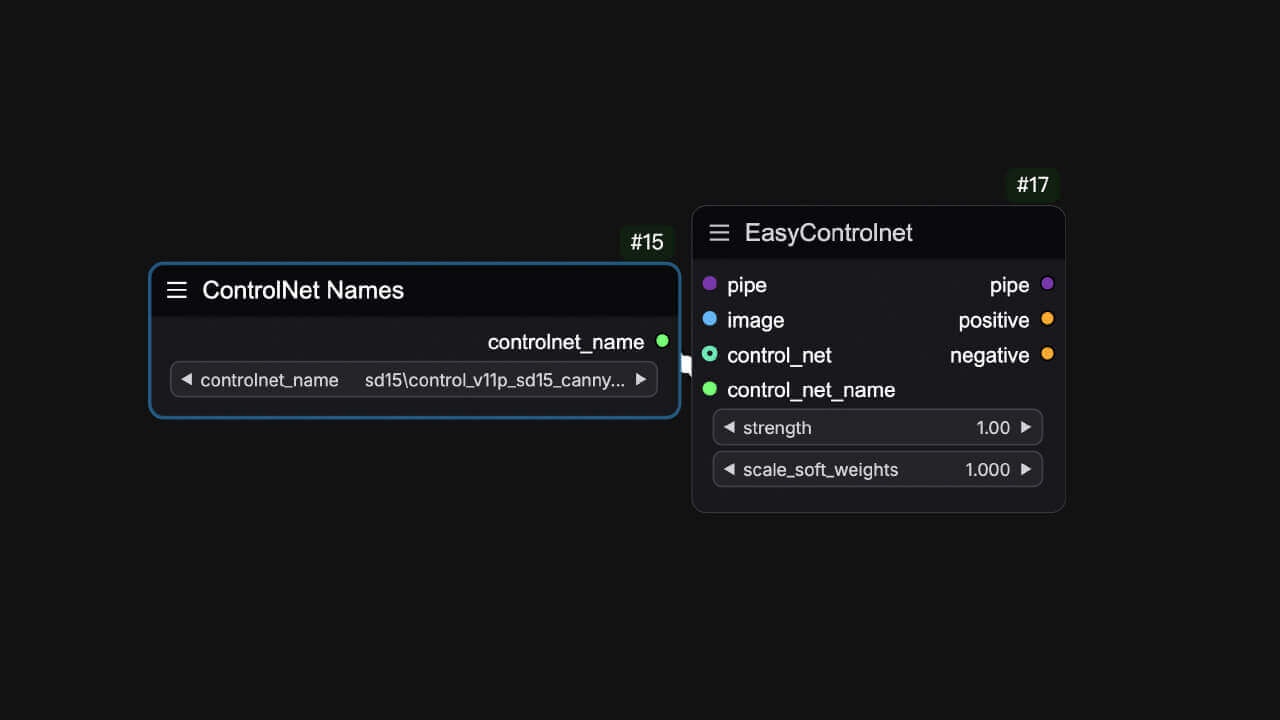
可连接到 ControlNet 加载器中转换为输入类型的 controlnet\_name。

**节点名**: `easy ckptNames`<br />

<Tabs>
  <Tab title="节点预览">
    <Frame>
      <img src="https://mintcdn.com/yolain/zALn-Ga4wzNzoIjg/images/nodes/controlnetNames.jpg?fit=max&auto=format&n=zALn-Ga4wzNzoIjg&q=85&s=d1b1587112e6e7fbe0020ec6e80e8f69" width="1280" height="720" data-path="images/nodes/controlnetNames.jpg" />
    </Frame>
  </Tab>

  <Tab title="使用示例">
    <Frame>
      <img src="https://mintcdn.com/yolain/zALn-Ga4wzNzoIjg/images/nodes/example/controlnetNames.jpg?fit=max&auto=format&n=zALn-Ga4wzNzoIjg&q=85&s=cdc7496cb94b34353e6c682d83539861" width="1280" height="720" data-path="images/nodes/example/controlnetNames.jpg" />
    </Frame>
  </Tab>
</Tabs>

**部件参数 (Widgets)**：

<ParamField path="ControlNet名称" type="combo">
  选择ControlNet模型名称
</ParamField>

**输出参数 (Output)**：

<ParamField query="ControlNet名称" type="combo">
  输出已选择好的ControlNet模型名称
</ParamField>